Quick Answer
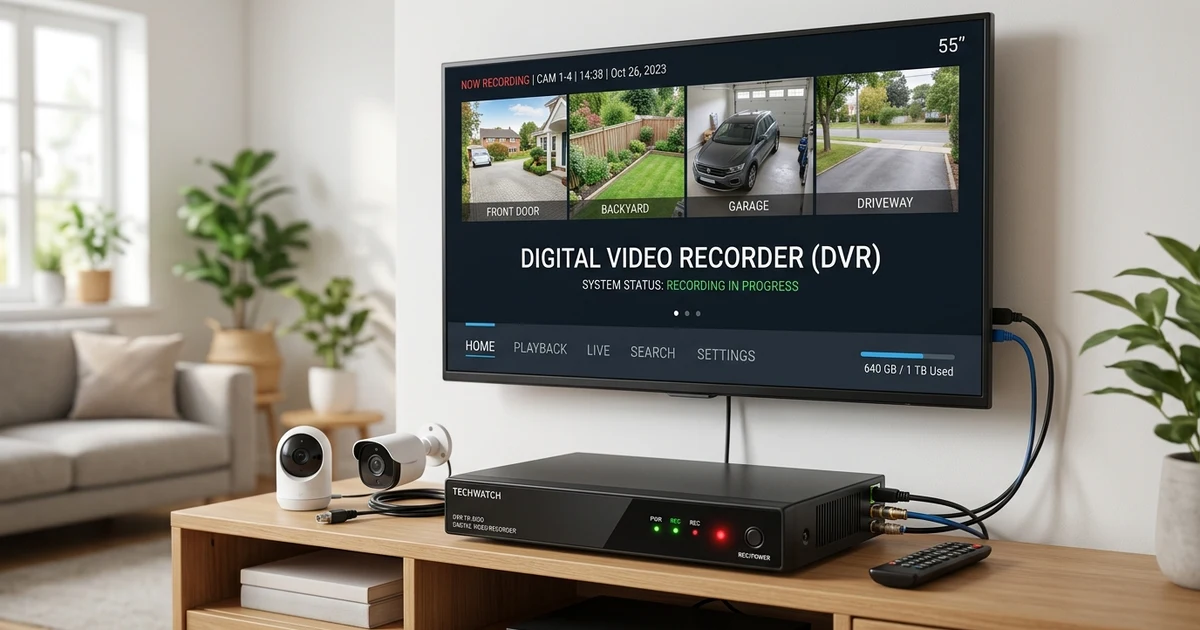
DVR stands for Digital Video Recorder. It is a device or system that records video and stores it digitally so you can watch the footage later. DVR technology is commonly used for television recording and security camera systems. Depending on the context, DVR can have other meanings, but Digital Video Recorder is the most common meaning when people are talking about recording, cameras, television, or video storage.
Introduction
You may have come across the term DVR while setting up a television, checking a security camera system, or looking at an electronics product. Because DVR is an abbreviation, its meaning is not always obvious at first. In most technology related conversations, however, DVR refers to a Digital Video Recorder.
A Digital Video Recorder allows video to be captured and stored for later use. For television, it can save programs so you can watch them at a convenient time. In security systems, it can store footage from connected cameras and make it possible to review events that happened earlier.
The technology has become an important part of digital video management. Instead of relying on physical videotapes, users can store recordings on digital storage and access them through menus or playback controls.
This guide explains what DVR means, how it works, where it is used, how it compares with NVR and VCR systems, and what you should know before choosing or using one.
What Does DVR Stand For?
DVR stands for Digital Video Recorder.
A Digital Video Recorder captures video and saves it as digital data. Depending on the system, recordings may be stored on an internal hard drive or another compatible storage device.
For television, the recorder can save programs based on a schedule. For security cameras, it can save footage continuously or according to settings configured by the user.
The basic process is simple:
Video source → Recording system → Digital storage → Playback
Once video has been stored, the user can access it later. Many systems provide controls for pausing, rewinding, fast forwarding, searching recordings, and managing saved footage.
The exact features depend on the type of recorder and the equipment connected to it.
DVR Meaning in Different Contexts
The abbreviation usually refers to digital video recording when it appears alongside television, cameras, security, or electronics. However, the intended meaning can change in specialized situations.
| Meaning | Where It Is Used | Simple Explanation | Example |
|---|---|---|---|
| Digital Video Recorder | Television | Records TV programs | Save a show for later |
| Digital Video Recorder | Security | Stores camera footage | Review footage from yesterday |
| DVR | Specialized fields | May represent another term | Check the surrounding context |
Context is therefore important. If someone mentions recording a television program, DVR almost certainly refers to a Digital Video Recorder. If the abbreviation appears in an unrelated technical or professional document, another definition may apply.
How Does a DVR Work?
A recording system receives a video signal from a source and stores the resulting video as digital information.
With television equipment, the system receives programming from a compatible service. When a user schedules a recording, the system saves the selected program to its storage.
With security cameras, connected cameras send video to the recorder. The system stores that footage and allows the user to search or replay it later.
A simple security setup might work like this:
Security cameras → Recorder → Storage drive → Monitor or playback device
Storage capacity plays an important role. Higher video quality and more cameras can require more storage space. Some systems automatically replace older footage when the available storage becomes full.
What Is a DVR Used For?
DVR technology has several practical uses.
Recording Television Programs
One of the best known uses is recording television. A user can schedule a program and watch the saved recording later.
For example, if a program starts while you are away, you can schedule the recording and watch it after returning home.
Security Camera Recording
Security systems can use a recorder to save footage from multiple cameras. This makes it easier to investigate an event that happened earlier.
For example, a business owner could review footage from an entrance at a particular time.
Home Surveillance
Home security setups may use a recorder to maintain a history of camera footage. Depending on the system, recordings can be reviewed through a connected monitor or compatible software.
DVR Features for Television
A television recording system can offer several features that make watching recorded programs more convenient.
| Feature | What It Does | Example |
|---|---|---|
| Record | Saves video | Record a TV program |
| Pause | Temporarily stops playback or live viewing | Pause while answering a call |
| Rewind | Moves backward through video | Rewatch something you missed |
| Fast forward | Moves forward through saved video | Skip part of a recording |
| Scheduled recording | Records at a selected time | Save a program while away |
| Playback | Opens stored recordings | Watch yesterday’s program |
Not every system provides every feature, so the specifications should be checked before buying equipment.
DVR for Security Cameras
A security DVR is designed to record video from compatible cameras and store the footage.
These systems are commonly used in homes, stores, offices, warehouses, and other locations where recorded video may be useful.
Depending on the equipment, users may be able to:
- View several cameras
- Search footage by date and time
- Save important recordings
- Adjust recording schedules
- Review previous events
- Manage connected cameras
The number of cameras supported depends on the number of available channels and the specifications of the recorder.
DVR vs NVR
DVR and NVR are closely related terms, but they are not identical.
| Term | Full Form | Common Use | Typical System |
|---|---|---|---|
| DVR | Digital Video Recorder | Security and television recording | Often used with analog camera systems |
| NVR | Network Video Recorder | Security recording | Primarily used with network cameras |
A DVR is commonly associated with analog or coaxial camera systems. An NVR generally works with network based cameras that send video over a network.
Modern surveillance products can use different architectures, so compatibility should always be checked before purchasing equipment.
DVR vs VCR
DVR technology replaced many older recording methods because it stores video digitally rather than using physical videotapes.
| Feature | DVR | VCR |
|---|---|---|
| Storage | Digital storage | Videotape |
| Recording management | Digital interface | Physical tape |
| Searching | Usually easier | Manual searching |
| Playback controls | Digital | Tape based |
| Storage medium | Hard drive or digital storage | VHS tape |
A VCR requires a physical cassette, while a DVR normally stores recordings on digital storage.
Benefits of Using a DVR
A major advantage is convenience. Users can record video without handling physical tapes.
Digital storage also makes it easier to organize and search recordings. In a security environment, this can be especially useful when someone needs footage from a particular date or time.
Another advantage is flexible playback. Many systems allow users to pause, rewind, fast forward, and replay saved video.
For television, these features allow people to watch recorded programs according to their own schedules rather than the original broadcast time.
Limitations to Consider
Recording systems also have limitations.
Storage capacity is one of the biggest factors. Video files can take up significant space, especially when recordings use high resolution. Once storage becomes full, some systems overwrite older footage.
Compatibility is another consideration. A recorder may only support specific cameras, resolutions, connections, or recording formats.
Some security setups also require cables between cameras and the recording equipment. Installation can therefore depend heavily on the type of system being used.
Before purchasing equipment, check camera compatibility, storage capacity, supported resolution, and the features you actually need.
Common Features to Check Before Buying
If you are comparing recording systems, several specifications are worth checking.
Storage Capacity
Storage determines how much recorded video the system can retain. A larger capacity can be useful when you need a longer recording history.
Number of Channels
Security recorders often come with a fixed number of camera channels. Make sure the system can support the number of cameras you plan to use.
Recording Resolution
Resolution affects the clarity of recorded footage. Higher resolution can provide clearer images but may require additional storage.
Recording Modes
Some systems support continuous recording, scheduled recording, motion based recording, or event based recording.
Remote Access
Certain modern systems allow users to view recordings remotely through compatible software or applications. This depends on the specific equipment and network setup.
Common Mistakes About DVR
One common mistake is assuming every DVR works in exactly the same way. Television recording equipment and security recording equipment can have very different designs and features.
Another mistake is assuming that a recorder provides unlimited storage. Every physical storage system has a limit, and some systems overwrite older recordings once the drive becomes full.
People also sometimes use DVR and NVR interchangeably. Although both can record security footage, they are designed around different types of camera systems.
Finally, do not assume that every security camera will work with every recorder. Always check compatibility before connecting equipment.
Other Possible Meanings of DVR
Digital Video Recorder is the most common meaning in conversations about television, security cameras, and video equipment. However, abbreviations can have different meanings in specialized industries.
DVR may appear in medical, business, government, transportation, or technical documents with another definition.
If the term appears without any connection to video, cameras, recording, or television, look at the surrounding information before deciding what it means.
The context usually provides the clue.
How to Identify the Correct Meaning
You can usually determine the intended definition by looking at the words around DVR.
If the conversation includes terms such as camera, recording, footage, television, playback, storage, channel, or video, Digital Video Recorder is likely the intended meaning.
If the abbreviation appears in a completely different field, it may represent another phrase.
This is a useful rule for many abbreviations: never rely on the letters alone when the context is unclear.
Conclusion
DVR most commonly means Digital Video Recorder, a system that records and stores video digitally for later viewing. It is widely associated with television recording and security camera systems.
A recording system can provide useful features such as scheduled recording, playback, pausing, rewinding, and searching saved footage. Security systems can also use recorders to maintain footage from multiple cameras.
When choosing a system, pay attention to storage capacity, camera compatibility, recording resolution, supported channels, and available features. Also remember that DVR can have other meanings in specialized contexts, so the surrounding information matters.
FAQs
What does DVR stand for?
DVR stands for Digital Video Recorder. It is a system that records and stores video digitally for later playback.
What is a DVR used for?
A DVR can record television programs or store footage from compatible security cameras. Its exact purpose depends on the type of system.
What is the difference between DVR and NVR?
DVR systems are commonly associated with analog camera systems, while NVR systems are primarily designed for network cameras.
Does a DVR need the internet?
Not necessarily. Basic recording can often work without an internet connection. Internet access may be needed for features such as remote viewing.
How long can a DVR record?
Recording time depends on storage capacity, video quality, number of cameras, recording settings, and whether older footage is automatically overwritten.
Can a DVR record multiple cameras?
Yes. Security recording systems can support multiple cameras when they have the required number of channels and compatible connections.
Is a DVR the same as a VCR?
No. A DVR stores video digitally, while a VCR records onto physical videotapes.
Does DVR always mean Digital Video Recorder?
No. Digital Video Recorder is the most common meaning in video related contexts, but DVR can represent other terms in specialized fields.